84%
Loads without human intervention"It's already become integral. It's going to scale with our business, and it scales affordably."
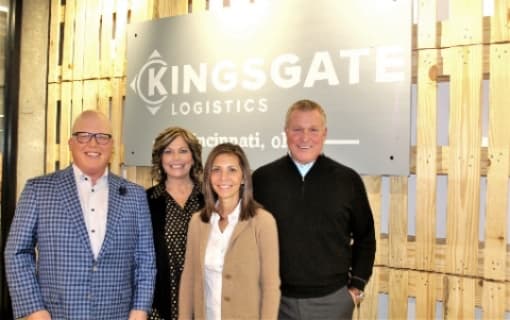
Nick Lisena Operations Manager, Kingsgate Logistics
Read the storyApps McLeod
 Certified Integration Partner
Loads come in from LoadMaster or PowerBroker the moment a shipment number is assigned. Arrival and departure times, call-ins in your own format, status, ETA and the POD go back without anybody typing.
TMS integration
| Direction | What moves | When |
|---|---|---|
| Into Chain | Load details, stops, appointments, references, commodity, instructions, carrier and contacts | On shipment number assignment, then continuously |
| Back to McLeod | Arrival and departure, check-in and check-out times | On a geofence event or driver confirmation |
| Back to McLeod | Call-ins in your configured format | At each checkpoint |
| Back to McLeod | Load status and next-stop ETA | As they change |
| Back to McLeod | Truck, trailer and seal numbers, reefer temps | As collected or read off a photo |
| Back to McLeod | POD, BOL and receipts, uploaded to imaging and categorized | At the dock |
| Back to McLeod | Escalations, as comments on the order | When Autopilot hands off to a person |
What it unlocks
The cadence you trained reps to follow runs the same at 4 PM Friday and 2 AM Sunday.
Arrival and departure landing in McLeod is what triggers your customer's EDI feed.
The POD is collected at the dock, not two days later when someone remembers.
Workspaces split by revenue code, each with its own configuration and escalation list.
Choose McLeod's API module or DFM, give us access, and walk us through your load lifecycle. Chain does the field mapping. DFM carries a McLeod module fee, shown on your order form as a labeled pass-through.
84%
Loads without human intervention"It's already become integral. It's going to scale with our business, and it scales affordably."
Nick Lisena Operations Manager, Kingsgate Logistics
Read the story
70%+
Loads auto-updated with arrival/departure timestamps"I wake up at 4:15 AM, skip my email, and go straight into Chain to handle everything efficiently from one place"
Brandon Bay a key leader at LGI
Read the storyWe'll open a live production environment, walk a real load from first offer to final POD, and show you what Autopilot would do with yours.
We'll open a live production environment, walk a real load from first offer to final POD, and show you what Autopilot would do with yours.